Fireflies.ai Review: The Intelligence Engine for Meetings?
For Scrum Masters and team leads deciding whether an AI meeting assistant built for sales conversation intelligence is worth using for Agile ceremonies.
Quick Verdict: Fireflies.ai
- Best for
- Sales teams and CRM-heavy organizations that need conversation analytics, not just transcripts.
- Not for
- Small Scrum teams who just want a simple, free retro or stand-up recorder — try Fathom instead.
- Free plan
- Yes (unlimited transcription, capped at 800 minutes of total storage per team member).
- Where it fits
- Sales calls, client meetings, CRM logging — occasionally Sprint Reviews with stakeholders.
Our verdict: Fireflies.ai is the strongest choice for sales and CRM-heavy teams that need conversation intelligence, not just transcripts. Small Scrum teams who just want a simple retro or stand-up recorder will likely find it heavier than they need, and the free plan's 800-minute storage cap forces an upgrade decision fast. If your team already lives in Salesforce or HubSpot, the CRM automation alone can justify the Business plan.
Try FirefliesSome tools just transcribe meetings. Others, like Fireflies.ai, try to understand them. While Fathom is known for its incredible free tier, Fireflies positions itself as a "Conversation Intelligence" platform. It's not just about getting text on a page; it's about tracking speaker sentiment, identifying objection handling in sales calls, and automating the flow of data into your HubSpot or Salesforce CRM. If you are a sales leader or product manager drowning in qualitative data, Fireflies is the engine designed to make sense of it all.
- 0:00 — What Fireflies.ai does differently
- 1:20 — Connecting your calendar and first recording
- 3:45 — AskFred and Smart Search in action
- 6:10 — CRM push to Salesforce/HubSpot
- 8:30 — Free plan storage limits, explained
Subscribe to AgileWoW on YouTube for more tool walkthroughs.
How We Tested Fireflies.ai
- Scenario
- A 90-minute Sprint Retrospective for a 7-person distributed Scrum team, plus three client sales calls to test CRM integration.
- Plan used
- Pro plan (14-day trial), then downgraded to Free to test storage limits.
- Duration of use
- 3 weeks.
- What we tried to break
- We let the Free plan's storage cap fill up, disconnected mid-meeting to see how the bot recovered, and tested overlapping speech during a heated retro discussion.
All screenshots in this review come from our own demo workspace — no client boards, retros, or data are shown.
I. Key Features That Set Fireflies Apart
Fireflies goes deep on analytics and integrations, making it much more than a simple recorder.
Powered by GPT-4, "Fred" allows you to chat with your meetings. You can ask "What were the main objections?" or "Draft a follow-up email" and it generates answers instantly.
Don't just search for keywords. Filter your meetings by "Action Items," "Questions Asked," "Metrics," or even "Sentiment" (Positive/Negative) to find exactly what you need.
Connects with 50+ apps including Salesforce, HubSpot, Slack, and Zapier. It can automatically log calls under the correct contact and push tasks to Asana or Trello.
Soundbites & Clips: Fireflies makes it easy to create "Soundbites"—short audio/video clips of key moments. This is perfect for sharing customer feedback directly with engineering teams without forcing them to watch an hour-long call.
II. Step-by-Step Walkthrough
Here's what actually setting up and using Fireflies.ai looks like, from our own demo workspace.
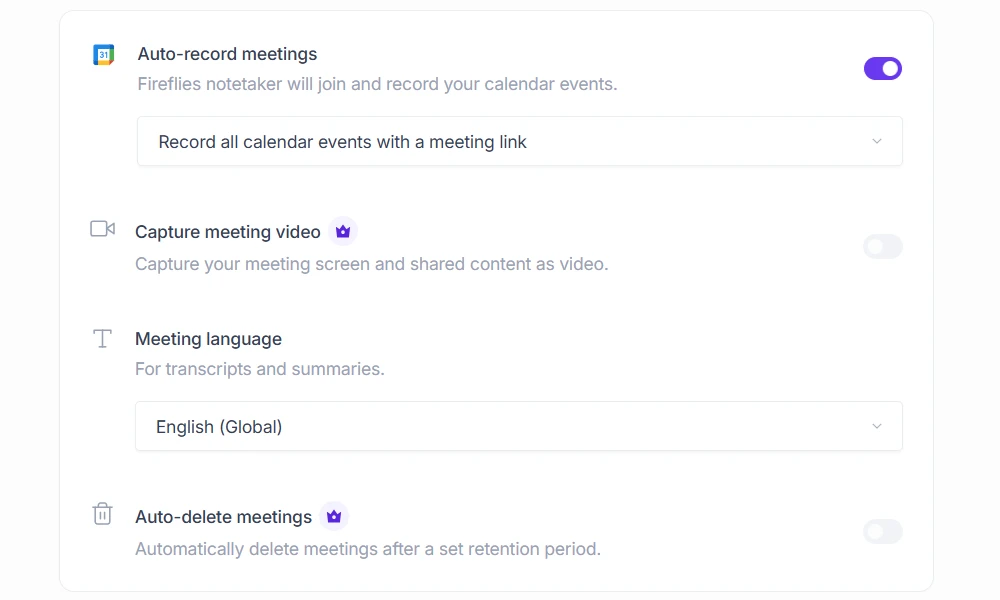
Step 1: Connect your calendar and choose which meetings the bot joins
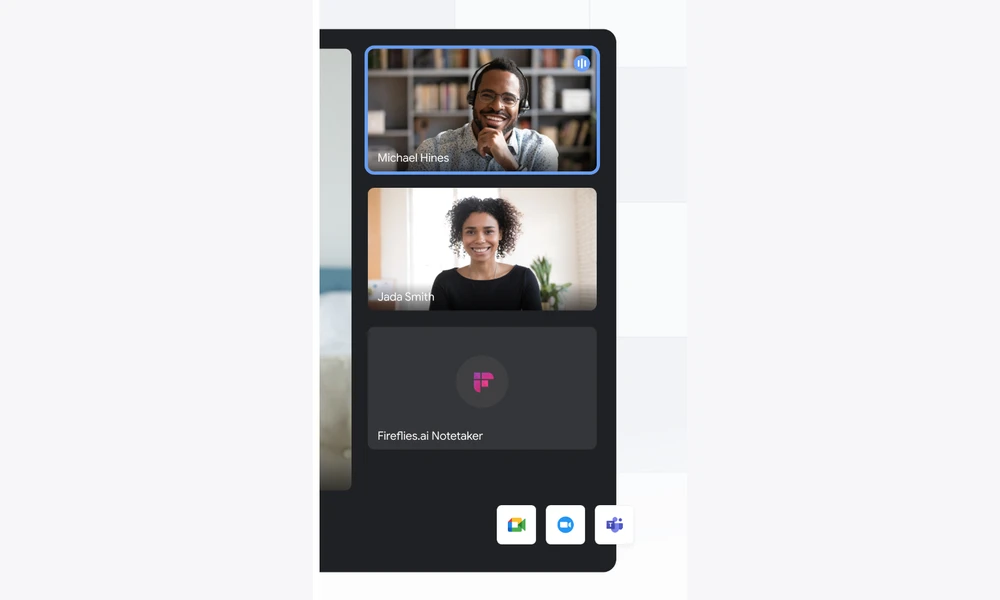
Fireflies connects to Google Calendar or Outlook and can auto-join every meeting by default. We recommend switching this to "invite only," especially for internal ceremonies like retros, so the bot doesn't show up uninvited.
Step 2: Let the bot join and record the meeting
Once connected, the Fireflies bot joins as a visible participant and begins transcribing in real time. A small on-screen indicator shows recording is active, which is worth pointing out to anyone unfamiliar with the tool before the call starts.
Step 3: Review the AI-generated summary and action items
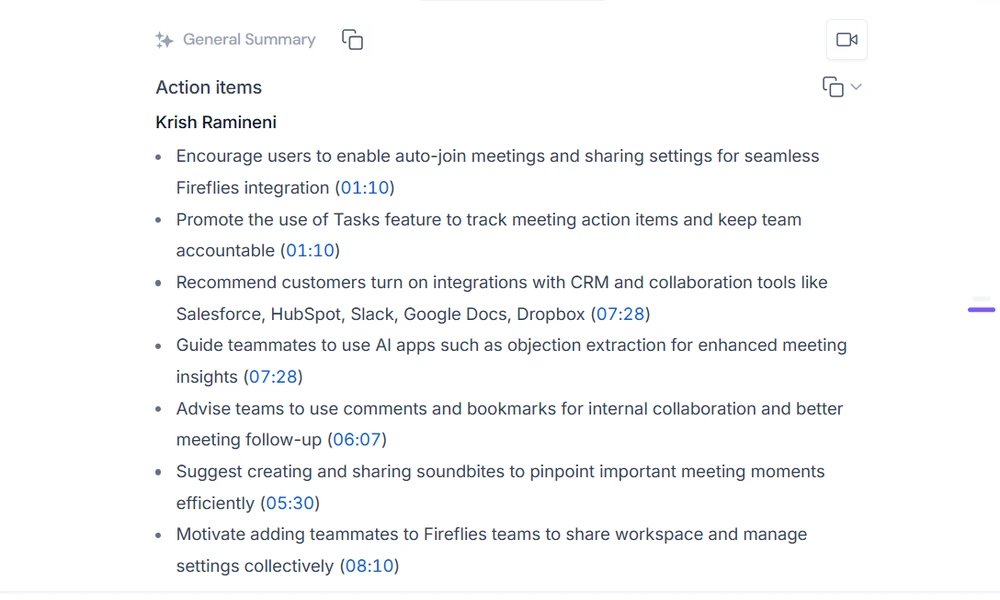
Within a few minutes of the meeting ending, Fireflies produces a summary broken into topics, decisions, and action items. In our retro test, it correctly captured the three action items the team agreed on, but merged two separate concerns raised by different people into a single bullet.
Step 4: Use AskFred to query the transcript
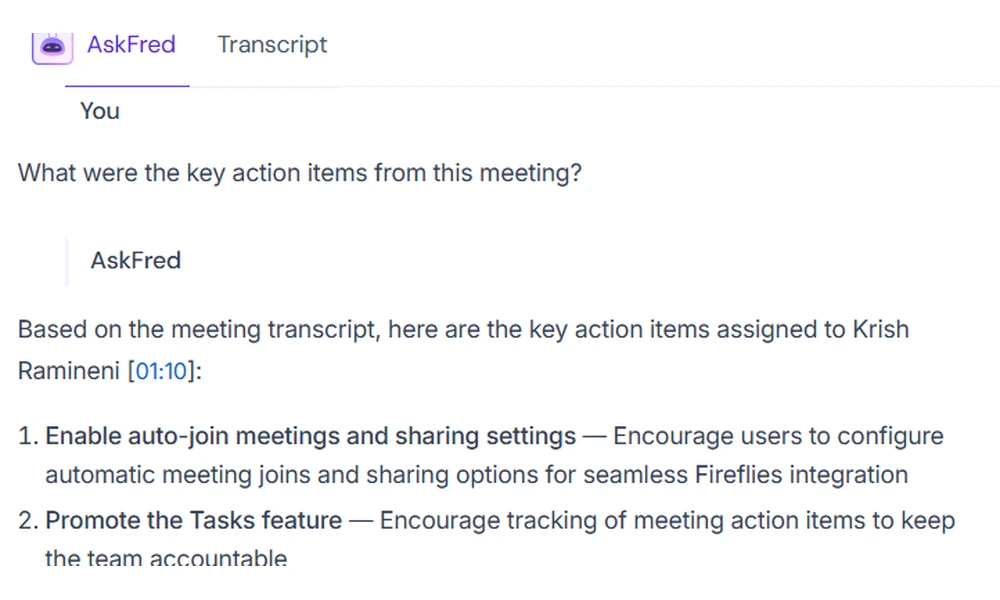
AskFred lets you type questions like "what objections came up?" directly against the transcript. It's genuinely useful for pulling specific moments out of a long call without re-listening to it.
Step 5: Push notes to your CRM or task tool
From the meeting page, you can push the summary and action items to Salesforce, HubSpot, Asana, or Trello with a couple of clicks. This is where Fireflies clearly earns its keep for sales-heavy teams, though Scrum teams without a CRM won't get much value from this step.
III. What Worked, What Didn't
What Worked
- Deep Integrations: Close, reliable sync with Salesforce and HubSpot in our tests, making it a favorite for sales teams.
- Global Language Support: Supports transcription in over 100+ languages, far exceeding many competitors.
- Rich Analytics: Provides "Talk-to-Listen" ratios and sentiment tracking to help coach sales reps.
- AskFred: Answered specific questions like "what objections came up?" directly from the transcript in under 10 seconds during our test calls.
What Didn't
- Strict Free Limits: Capped at 800 minutes of storage total. Once full, you must delete old files or upgrade.
- Bot Intrusiveness: The bot joins calls automatically unless carefully configured, which can surprise clients.
- Complex Interface: The dashboard is packed with features, which can be overwhelming compared to Fathom's simplicity.
- Video Gated: Video recording and playback are reserved for the top-tier plan.
IV. What a Scrum Master should watch for
- AI summaries can flatten a nuanced retro discussion into generic action items, hiding minority or dissenting views raised quietly in chat or overlapping speech.
- Sentiment analysis is tuned for sales calls, not psychological safety — a "negative sentiment" flag on a blocked, frustrated engineer isn't the same signal as an unhappy prospect.
- The bot joining automatically can undermine trust in ceremonies meant to feel safe and off-the-record, like retros; always disable auto-join for sensitive discussions.
- Action items extracted by AI need a human pass before they go into the backlog — Fireflies is good at capturing what was said, not what the team actually committed to.
- Because Fireflies is built for CRM logging, it's easy to over-automate meeting data into tools your team never agreed to use.
V. Fireflies Pricing: A Breakdown
Fireflies uses a seat-based billing model, charged monthly or annually rather than as a single flat team rate. The Free plan gives unlimited transcription but caps total stored minutes, which is enough to trial the tool but not to run it as a team's permanent system of record. The next tier up removes the summary limits and adds talk-time analytics, making it workable for consultants and small teams, though it still lacks CRM integration. CRM integrations, video recording, and team channels are reserved for the top tier, which is really the plan that sales-heavy teams end up needing. There's no India-specific billing option, so expect international card billing.
Check current pricing on Fireflies's site.
VI. Fireflies Alternatives: How Does It Compare?
Fireflies is powerful, but is it right for you? Here is how it stacks up against the competition:
- Fathom: The better pick if you want a genuinely free recorder with no storage cap for simple internal meetings — it lacks the CRM integrations and conversation intelligence Fireflies offers, but most Scrum teams won't miss them.
- Otter.ai: A strong contender for real-time transcription and mobile users like students or journalists. Otter is excellent for in-person recording via its mobile app but has weaker multi-language support compared to Fireflies.
VII. Is Fireflies Right for Your Team?
Answer a few quick questions and we'll point you toward the better fit.
Turn Meeting AI Into a Scrum Master Skill
Learn how to use AI tools like Fireflies responsibly in Agile ceremonies without losing the human judgment that makes retros and reviews work.
Explore the CourseVIII. Frequently Asked Questions (FAQs)
Q: Does Fireflies.ai work with all meeting platforms?
A: Yes, Fireflies supports Zoom, Google Meet, Microsoft Teams, and Webex. It can join these meetings as a participant bot to record audio and video.
Q: Is the Free plan really free forever?
A: Yes, but with a catch. You get unlimited transcription, but you are limited to 800 minutes of total storage per team member. Once you hit this cap, you cannot save new meetings without deleting old ones or upgrading.
Q: Can I integrate Fireflies with my CRM?
A: Yes, but this is primarily a top-tier plan feature. The higher tier adds native integrations for Salesforce and HubSpot to automatically log meeting notes and transcripts under contacts.
Q: How does Fireflies compare to Fathom for Scrum ceremonies?
A: Fathom is simpler and free with no storage cap, which suits a team that just wants a retro or stand-up recorded and summarized. Fireflies adds sentiment tracking, CRM logging, and AskFred queries, which matter more in sales calls and stakeholder reviews than in an internal Sprint Retrospective.
Q: Can I stop the Fireflies bot from auto-joining sensitive meetings like retros?
A: Yes. You can turn off auto-join in your calendar settings and add the bot only to specific meetings you choose — we recommend this for retrospectives or any conversation meant to feel off-the-record.

Sanjay Saini
Professional Scrum Trainer (PST), licensed by Scrum.org. Reviews and approves the role-specific guidance in every tool review on this site.
Update Log
- September 10, 2026: Restructured the page to our current review template — added How We Tested, Step-by-Step Walkthrough, Scrum Master lens, Fit Check, and Update Log sections; converted the pricing table to prose; expanded FAQs from 3 to 5.
- January 10, 2026: Initial review published after hands-on testing.